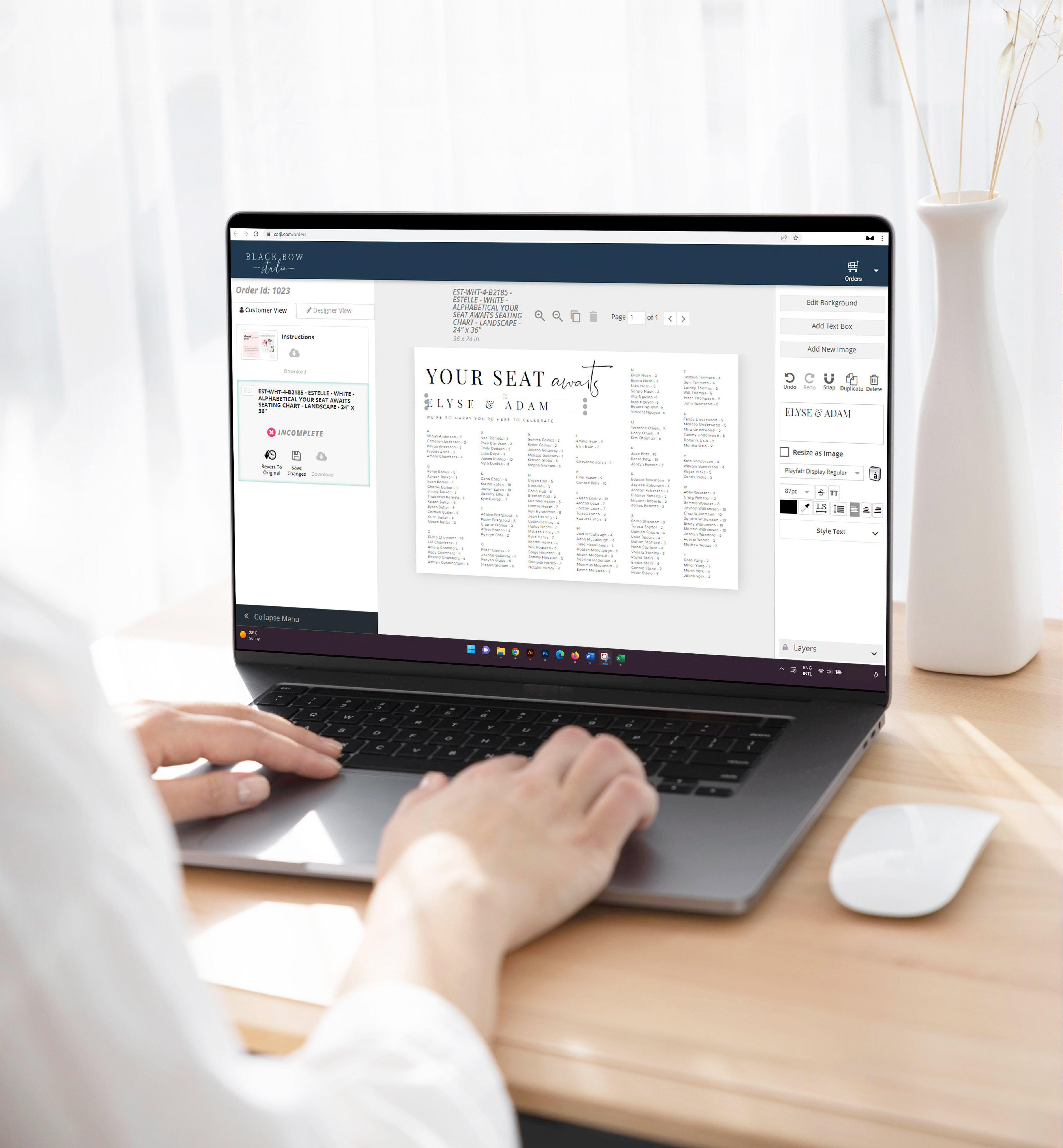
How Our Printable Templates Work

Create beautifully personalised stationery in minutes with our easy-to-use editable printable templates. From invitations and gift vouchers to party signs and event stationery, our designs give you the flexibility to customise, download and print whenever you're ready.

All our printable templates are edited online using Corjl, with instant access after purchase. Simply personalise your design with your own wording, adjust the details to suit your occasion and download the finished file to print at home or through a professional printing service. There's no special software or fonts to install, and you can even try a free demo before purchasing.

Collapsible content

1. ACCESSING YOUR EDITABLE TEMPLATES

Once your order has been processed you will receive an email from Corjl with the access link to your editable templates. Alternatively, you can also proceed directly to www.corjl.com/orders and log into the website using the email address you entered at the checkout.

You will be emailed instructions with images on how to access your editable template once your order has been processed.

2. EDIT YOUR TEMPLATE

Once logged into your Corjl order you can start editing immediately. You can personalise your template with your own wording and images along with changing the font, style, size and colour.

Try out the free demo in the item description to see your design before purchasing. Please note that not all text and graphics are editable. We recommend using the free demo to confirm the template will be suitable for your needs before purchasing.

3. DOWNLOADING YOUR TEMPLATE

Make as many changes to your template as you need, there is no limit to the number of times you can save and download your templates. The templates will also not expire so you have plenty of time to get them just right. 

When you’ve finished editing your design, press save and then select the download button. You will have the option to download your template in either PDF, JPG, or PNG formats. You also have the option to save multiple copies of the same design on a single page for economical printing.

There is also the option to add trim marks and a bleed to your artwork should your preferred printer require these.

4. PRINT YOUR TEMPLATE OR SEND ELECTRONICALLY

You can print your templates either at home or with a professional local or online printing company. See our list of suggested professional printers HERE.

Alternately, save time and send your template electronically via email, text or social media. We recommend downloading your template as a JPG to send digitally.

Explore Our Printable Templates

Ready to create something special? Explore our collection of editable printable templates for weddings, celebrations, gifting and everyday occasions. Choose your favourite design, personalise it online with Corjl and download it when you're ready.

Whether you're planning an event or putting together a thoughtful surprise, our printable templates make it easy to create something beautifully personal.

FAQ

What is an editable printable template?

An editable printable template is a digital design that you can personalise yourself before downloading and printing. Our templates are perfect for creating invitations, gift vouchers, signs, games and other personalised stationery without waiting for a physical product to arrive. Simply choose your design, edit it online and download the finished file when you're ready.

How do I access my template after purchasing?

Once you've completed your purchase, you'll receive an email from Corjl with a link to access your template. Simply follow the link to create an account or log in and start personalising your design.

If you haven't received your email, please check your junk or spam folder. You can also visit Corjl.com and log in using the email address associated with your order.

Do I need any special software to edit my template?

No. All our printable templates are edited online using Corjl, so there's no need to download special software or install fonts. Simply open Corjl in your internet browser and start personalising your design.

Can I try a template before purchasing?

Yes. Our printable templates include a free Corjl demo so you can explore the design and see how the editing process works before purchasing. Simply click the demo link on the product page to try personalising the template.

How do I download and print my template?

Once you've finished personalising your design in Corjl, you can download your template in the available file formats, including PDF and JPG. You can then print it at home or take the file to your preferred professional printing service.

For the best results, we recommend checking the template dimensions and printing instructions provided with your design.

Can I edit my template on my phone or tablet?

Yes. Corjl can be accessed through your phone, tablet, laptop or desktop computer. However, some advanced editing features are only available on a desktop or laptop, so we recommend using a computer for the best editing experience.

Do printable templates expire?

Yes. Corjl templates have an access period, which may vary depending on the product. You can find the access details on the individual product listing. We recommend personalising and downloading your finished design before your access expires.

Once downloaded, you can save your finished file for future reference.

Can I send my printable template electronically?

Yes. Many of our printable templates can also be shared electronically. Once you've personalised your design, download it in a suitable format, such as JPG, and send it by email, text message or your preferred messaging platform.

This is particularly useful for digital invitations, gift vouchers and announcements.

What can I personalise on my printable template?

Editing options vary depending on the design, but many of our templates allow you to customise wording, names, dates, colours and fonts. Some templates also allow you to add your own images.

Each product listing includes information about the available editing options. We recommend trying the free Corjl demo before purchasing to make sure the template suits your needs.

Can I get help editing my template?

Of course. If you have any questions or need assistance with your printable template, please contact us at hello@blackbowstudio.com.

If you'd prefer not to edit the template yourself, we also offer an Edit My Printable Template service. Simply purchase the editing service alongside your chosen template, provide us with your wording and personalisation details, and we'll take care of the editing for you. We'll even send you a proof to review before finalising your design.